

Table of Contents
How to Analyze Amazon Revenue Growth with Sales Insights

Understanding what customers are searching for on Amazon is at the heart of smart selling. For the past five years, I’ve helped sellers connect with real demand by using keyword tools that uncover what shoppers are actively looking for. Market demand isn't a figure that represents consumer intention, interest, and purchasing behavior. If you ignore those indicators, you're going to squander money and time on non-selling products or improve listings that never get seen. The proper keywords will indicate to you where the opportunity lies, what competition you'll face, and what customers anticipate from products like yours. This blog will walk you through what keyword tools do, how to interpret the data, and how to utilize that data for product research and listing optimization. Whether you’re new to Seller Central or scaling, understanding demand through keywords provides clear direction, enable you to make knowledgeable decisions, and get your products to the right buyers at the right time.
Key Amazon Seller Metrics to Track for Sales Growth
Knowing what to track instructs sellers to keep their performance on track and make smart decisions. Below is the explanation of the key metrics and how they inform your strategy.
| Metric | What It Shows | How It Informs Strategy |
|---|---|---|
| Units Sold | Total products sold in a time frame | Helps track demand, forecast inventory, and identify growth trends |
| Conversion Rate | Percentage of shoppers who bought after viewing | Indicates how well your listing persuades customers optimizing images, title, and description |
| Impressions | How often your listing appears in searches | Helps gauge visibility and keyword effectiveness |
| Sessions | Number of visits to your listing | Measures engagement and helps pinpoint the effectiveness of your ads and promotions |
| Advertising Metrics | Data from sponsored ads like clicks and cost per conversion | Guides ad spend, helps identify top-performing keywords, and improves ROI |
Expert Insight:
A seller who is only monitoring sales volume is seeing half the picture. Putting together impressions, sessions and conversion rates can inform you about how visible, and compelling your listing is at each customer journey stage.
Best Tools to Track Amazon Sales Trends Accurately
| Tool | Purpose | Best Use |
|---|---|---|
| Amazon Seller Central Reports | Provides core metrics like sessions, orders, and ad spend | Review performance regularly, spot anomalies, and adjust listings quickly |
| Jungle Scout | Analyzes product demand and competitor behavior | Forecast trends, monitor sales velocity, and explore new product opportunities |
| Helium 10 | Offers keyword tracking, listing optimization, and alerts | Understand search behavior and improve conversion through listing improvements |
| Keepa | Tracks price history and deals | Study competitor pricing strategies and seasonal price fluctuations |
| Others (Sellics, DataHawk, etc.) | Offers tailored analytics for different seller needs | Combine insights across platforms for a holistic view |
How to Integrate Multiple Tools for a Complete View
- Use Amazon’s reports for base metrics like orders and inventory
- Supplement with Jungle Scout or Helium 10 for market research and competitor tracking
- Apply Keepa’s price trends to adjust pricing strategies during peak seasons
- Combine data points weekly to spot patterns that single tools might miss
Expert Note:
Information integration will enable you to view the forest and the trees. The lack of variety in the tools might result in blind spots in your business decisions.
Analyzing Historical Data vs. Real-Time Insights
| Type of Data | What It Helps You Do | When to Use |
|---|---|---|
| Historical Data | Spot long-term patterns and forecast future demand | Best for planning inventory and anticipating seasonal trends |
| Real-Time Insights | Track sudden changes in buyer behavior or competition | Essential during promotions, new launches, or unexpected market shifts |
How to Use Them Together
- 1. Review sales data from the past 6–12 months to forecast stock requirements
- 2. Use real-time analytics to spot shifts caused by trends, news, or competitor pricing
- 3. Adjust marketing strategies quickly based on customer response patterns
Expert Advice:
Historical data builds a foundation, while real-time insights help you stay agile. Both are necessary to avoid surprises.
Competitor Analysis: Learning Without Copying
Keeping an eye on competitors helps you sharpen your strategy without simply replicating their approach.
Identify Competitor Pricing Strategies
- Track when competitors adjust prices and how often they run discounts
- Understand how much flexibility you have in pricing without undercutting yourself
Track Product Launches and Reviews
- Monitor competitor reviews to find gaps in customer satisfaction
- Study their new product launches to anticipate market trends
Expert Insight:
Learn from competitors’ wins and mistakes, but never copy blindly. Adapt insights to your product’s unique value.
Leveraging Trends for Inventory and Pricing Strategy
- Analyze past sales spikes to plan for busy seasons
- Avoid overstocking slow-moving items that tie up capital
Demand Forecasting
Dynamic Pricing
- Adjust prices based on competitor activity, customer demand, and market events
- Use automated tools to update pricing in response to fluctuations
Expert Tip:
Smart inventory and pricing strategies are the backbone of profitability. They prevent dead stock and allow you to capitalize on demand surges.
Advertising Trends: Using Sponsored Ads Data Effectively
Optimize Ad Spend
- Focus on keywords that convert, not just those with high search volume
- Cut back on ads that drive clicks but low conversions
Adjust Campaigns Based on Engagement
- Shift focus to ads performing well in specific regions or demographics
- A/B test ad copy and placement to see what generates better results
Expert Advice:
Paid ads help you for a data goldmine. Regularly fine-tuning campaigns ensures every dollar spe nt contributes to growth.
Monitoring Customer Feedback Trends
Use Reviews to Predict Future Buying Behavior
- Watch for common praise or complaints that indicate shifting customer expectations
- Anticipate future trends based on feedback about features customers love
Address Issues Before They Become Negative Trends
- Respond promptly to negative reviews and FAQs
- Update listings to clarify product details customers repeatedly ask about
Case Study:
How Trend Monitoring Saved a Seller from Overstocking
Tools Used:
- Amazon Seller Central reports for historical sales
- Jungle Scout for competitor insights
- Keepa for tracking price fluctuations
Insights Gained
- A sudden decline in searches for a seasonal product signaled a drop in demand
- Competitor pricing analysis showed aggressive discounting during off-peak times
- Real-time tracking identified an emerging trend toward a new product category
Actions Taken
- Adjusted inventory orders by reducing stock by 40%
- Shifted ad spend to new, trending products
- Repriced listings based on competitor moves, improving profitability
Results
- Avoided major stock losses
- Increased overall ROI by 18% in two months
- Built a more resilient inventory planning process for future seasons
Expert Takeaway:
Trend monitoring is about predicting and preparing. Sellers who actively analyze data can turn uncertainty into opportunity.
Conclusion for Tracking Amazon Sales Trends with Tools and Strategies
Properly applied metrics will enable the sellers to make decisions grounded in the sales data, anticipate demand, and be proactive in meeting the changes in the market. History and real-time insights can help you to prevent losses and operate on a large scale. When using Squatio analytics and reporting functionality, you will have access to precise, actionable intelligence that will help you understand the dynamics and grow your business with confidence.
Recent Blogs

How to Find Profitable Products to Sell on Amazon in 2025
Figuring out profitable products to sell on Amazon is the difference between success and failure for e-commerce. Standing out is difficult in a sea of over 2.5 million active sellers and millions of product offerings. However, the right product choice will make your Amazon store a successful business. As the market evolves in 2025, knowledge of the tools and data-driven strategies to help identify the best opportunities has become more essential than ever.
Learn More →
Best Amazon Keyword Research Tools Compared
inding the right keywords is the backbone of selling on Amazon. Every time a customer types something in the search bar, Amazon's algorithm picks products to show based on the keywords in the listings. That is why keyword research matters. It helps sellers determine what people look for and how frequently they do so.
Learn More →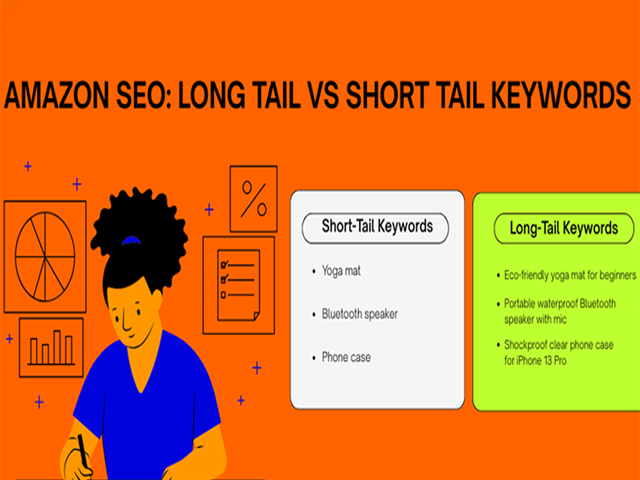
Long-Tail vs Short-Tail Keywords: What Works Best on Amazon?
Every product on Amazon starts with a search. What buyers type in that little search bar decides which listings show up, which ones get clicked, and eventually, which products get sold. That is why keywords matter so much. They connect the customer’s needs with your product. But not all keywords work the same way. Some are broad and short. Others are longer, more specific, and often more targeted.
Learn More →
FBA vs FBM in 2025: Which One Should You Choose?
Choosing between FBA and FBM is one of the most important decisions for Amazon sellers in 2025. The way you fulfill orders can shape your costs, customer experience and long-term growth. Fulfillment by Amazon, or FBA gives access to fast shipping with Prime and takes care of storage packing and returns.
Learn More →
How to Launch a Product on Amazon with Zero Reviews
Launching a product on Amazon with zero reviews may seem tough but it is possible with the right plan and clear execution. In 2025 Amazon gives more weight to how well your product performs in the first few weeks than how many reviews it has.
Learn More →
The Ultimate Amazon FBA Checklist for New Sellers
Your experience of being an Amazon FBA seller can be like a roller coaster ride, but there is much to get to know as well. Choosing the right product, managing the inventory, handling everything, every step counts in case you want to expand your store in the right direction.
Learn More →
Top Mistakes New Amazon Sellers Make and How to Avoid Them
Amazon selling may appear to be intriguing at first. You have millions of buyers at your fingertips, and with FBA and Seller Central, making your brand name appear is easy to do. But once you're in, you'll find it's not as easy as it seems. Most new sellers plunge into the work without knowing how Amazon works.
Learn More →
Understanding Amazon’s A9 Algorithm: A Complete Guide
Every product on Amazon starts with a search. What buyers type in that little search bar decides which listings show up, which ones get clicked, and eventually, which products get sold. That is why keywords matter so much. They connect the customer’s needs with your product. But not all keywords work the same way. Some are broad and short.
Learn More →
How to Write High-Converting Amazon Product Titles and Descriptions
When shoppers search on Amazon, the first thing that they see is your product listing. You lose them within 2 to 4 seconds when your title is vague or when your description is not being understood. However, when your content is well written, it does more than inform.
Learn More →
Why Your Amazon Listings Aren’t Converting (and How to Fix Them)
Selling on Amazon is more than getting your products listed. Your listing is your digital storefront, and every detail in it works like a sales pitch to the shopper. A good product with poor presentation will often lose to a competitor who communicates value more clearly.
Learn More →
A/B Testing Amazon Listings: What You Need to Know
Selling on Amazon is a constant process of improvement. The marketplace changes fast, and customer preferences shift without much notice. What works in a listing today may not be as effective next month. This is where A/B testing could turn out to be a very useful instrument to sellers who wish to make decisions on the basis of facts rather than guesses.
Learn More →
Using Backend Keywords on Amazon: Do They Still Matter?
When you list a product on Amazon, you face millions of competing items that are also fighting for visibility. Shoppers search with a wide mix of words. Some are common, while others are misspelled or written in different forms. To help sellers cover these variations, Amazon created backend keywords.
Learn More →
How to Improve Your Amazon Product Images for Better Clicks and Sales
Images are one of your most powerful tools for selling on Amazon. Customers choose to click before they even look at your product description or glance at your price point based on what they are viewing in the image. Over the past five years working closely with hundreds of Amazon sellers, I’ve witnessed how slight variations in product pictures can make huge differences in clicks and conversions.
Learn More →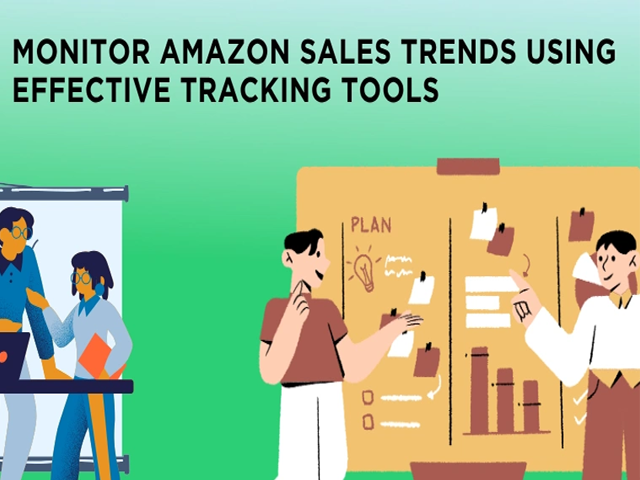
Tracking Amazon Sales Trends: Tools & Strategies
Monitoring sales patterns at Amazon is not only what the successful Amazon sellers do, but it is also for everyone who aspires to establish a sustainable business. In the past five years, I have been assisting sellers to examine their performance statistics, identify trends early and make decisions that directly affect their profits.
Learn More →
Understanding Amazon Market Demand with Keyword Tools
Understanding what customers are searching for on Amazon is at the heart of smart selling. For the past five years, I’ve helped sellers connect with real demand by using keyword tools that uncover what shoppers are actively looking for. Market demand isn't a figure that represents consumer intention, interest, and purchasing behavior. If you ignore those indicators,
Learn More →
How to Do Competitive Analysis for Amazon Sellers
Winning on Amazon starts with clear competitive analysis, not guesswork. This guide breaks down how top sellers research rivals, read the market, and turn data into action. You will learn how to map your category, profile leading brands and emerging threats, and benchmark price, content quality, and delivery promises. We explain how to audit listings, uncover keyword gaps, and analyze images, A plus content, and reviews to find conversion levers.
Learn More →
Keyword Research for KDP: How to Rank Your Book on Amazon
With Kindle Direct Publishing (KDP), writers can self-publish and reach Amazon’s readership. Thousands of new books appear on Amazon every day, and without proper Amazon book keywords, your book can remain hidden. Keyword research on KDP helps your book show up in searches and reach the intended readers.
Learn More →
7 Mistakes First-Time KDP Authors Make (and How to Avoid Them)
Publishing a book for the first time can be exciting, but it can also be tricky. Many first-time Kindle Direct Publishing authors make mistakes that slow down their success. Avoiding these errors early can save time, money, and frustration. Here are seven common mistakes and tips on how to avoid them.
Learn More →
Free vs Paid Amazon Seller Tools: What You Really Need
Selling on Amazon is more competitive than ever. Millions of sellers compete for buyers, visibility, and sales every day. To succeed, sellers need the right tools to research products, track competitors, optimize listings, and analyze performance. One of the biggest decisions sellers face is whether to rely on free tools or invest in paid tools. Both can be useful, but each serves different purposes.
Learn More →
Top Chrome Extensions for Amazon Sellers in 2025
Amazon has become one of the busiest online marketplaces in the world. Every year more sellers join the platform and the level of competition increases. Sellers must understand demand, study buyer behavior, and pick the right products at the right time. In 2025, many tools promise to help with Amazon research, but only a few deliver real value through simple and accurate data. One Chrome extension that continues to support sellers in an effective way is Squatio.
Learn More →
Book a Demo
Book a Demo of Squatio’s All-in-One Amazon FBA Seller Tool
This free demo shows you how to track important metrics and grow your business effectively.

Enter your information to register for the Free demo.