

Table of Contents
Best Guide to Create Amazon Listing Photos That Convert Fast

Images are one of your most powerful tools for selling on Amazon. Customers choose to click before they even look at your product description or glance at your price point based on what they are viewing in the image. Over the past five years working closely with hundreds of Amazon sellers, I’ve witnessed how slight variations in product pictures can make huge differences in clicks and conversions. A professionally designed, simple-to-view image not only attracts attention but also builds confidence. Shoppers would rather see exactly what they are purchasing, and good-quality images close off doubt and enhance confidence in the transaction. Compliance with Amazon policies is essential to avoid listing errors that reduce visibility. Here in this blog, I am going to take you through some achievable steps on making images that not only satisfy Amazon's needs but also attract customers. These are the steps you can take to stand out, sell more, and develop a brand that consumers trust.
Amazon’s Image Guidelines: The Foundation You Must Follow
Why it matters
Amazon’s image requirements are not just formalities—they help ensure your product appears professional, trustworthy, and easy to evaluate. Meeting these standards protects your listing from being flagged and improves buyer experience.
| Aspect | What to Do | Expert Tips |
|---|---|---|
| Resolution | At least 1000 x 1000 pixels for zoom feature | Higher resolution images (2000 x 2000+) look sharper on all devices |
| Format | JPEG (.jpg), TIFF (.tif), or PNG (.png) | Use JPEG for faster loading without losing clarity |
| Background | Pure white (#FFFFFF) for the main image | Consistency across listings boosts brand recognition |
| Product-only Rule | Main image must feature only the product without accessories unless included | Avoid unnecessary props that distract from the actual item |
| File Size | Under 10MB recommended | Compress without affecting details for faster loading |
Policy Compliance and Avoiding Listing Errors
- Avoid text overlays such as “Best Seller” or promotional slogans
- Don’t use watermarks, logos, or borders on images
- Ensure accurate representation—no misleading angles or edited features
- Images should match what’s being sold; including unrelated items confuses shoppers
- Regularly audit listings to ensure no guideline updates are missed
Types of Images Every Listing Needs
| Image Type | Purpose | Best Practices |
|---|---|---|
| Main Image | Attract clicks by clearly showcasing the product | Use a high-quality, zoomable photo with a clean background |
| Secondary Images | Show different angles, details, and packaging | Highlight textures, close-ups, and important features |
| Lifestyle Images | Help customers visualize using the product | Display the product in real-life scenarios like home setups, outdoors, etc. |
| Infographics | Educate and highlight benefits | Use arrows, icons, and text overlays sparingly to explain features |
| Size Charts | Assist customers with dimensions and measurements | Use scale references or diagrams for clarity |
| Feature Highlights | Reinforce unique selling points | Focus on benefits like durability, safety, or ease of use |
Expert Note: A well-rounded image set reduces customer hesitation and minimizes returns. Buyers feel confident when they understand exactly what they’re getting.
Optimizing for Clicks: Design Principles That Work
Clear, Uncluttered Visuals
- Focus on simplicity: too much information can distract. Let the product stand out with ample white space
- Let the product stand out with ample white space
Highlight Key Features
- Use angles that showcase texture, shape, and finish. Zoom in on unique details like stitching, finishes, or special parts
Use Color Contrast and Visual Hierarchy
- Brighten important parts without altering natural colors. Lead the viewer’s eye from top to bottom using layout balance
- Lead the viewer’s eye from top to bottom using layout balance
Pro Tip: A visually pleasing image tells customers everything they need in a glance. Less is more when it comes to clarity.
Optimizing for Conversions: Storytelling Through Images
Lifestyle Shots Showcasing Product Use
- Feature the product in action and how it solves everyday problems. Include relatable people, settings, or tasks
- Include relatable people, settings, or tasks |
Include Benefits Without Overcrowding
- Use one image to tell one story, whereas too much info dilutes the message. Layer text with small icons instead of paragraphs of information
- Layer text with small icons instead of paragraphs of information
Add Trust Signals
- Highlight customer reviews in screenshots where allowed. Include certifications, awards, or “best choice” icons subtly within secondary images
- Include certifications, awards, or “best choice” icons subtly within secondary images
Expert Insight:
Shoppers want to feel assured that they’re making the right purchase. Storytelling images connect emotionally while providing logical reasons to buy.
A/B Testing Images: How to Experiment Without Guesswork
| Step | What to Do | Why It Works |
|---|---|---|
| 1. Select 2 or 3 variations of your main image | Change angle, lighting, or background slightly | Small tweaks reveal what grabs attention |
| 2. Use analytics to track click-through and conversion rates | Compare performance across a week or month | Data-driven decisions outperform guesswork |
| 3. Keep variables separate | Test one change at a time | Clear results help identify the most effective image |
| 4. Repeat periodically | Trends change based on season, competition, or demand | Continuous testing keeps your listing competitive |
Tools to Use:
- Amazon Brand Analytics, Third-party platforms like Splitly or Sellics for automated testing
- Third-party platforms like Splitly or Sellics for automated testing
Expert Advice:
Testing builds confidence. You’ll know what your audience prefers without relying on assumptions.
Avoiding Common Mistakes
Over-editing or Misleading Images
- Don’t Photoshop out imperfections unless they’re packaging details
- Avoid editing that makes the product look larger or more appealing than it is
Using Irrelevant Stock Photos
- Generic images reduce trust and raise red flags with shoppers
- Use real product shots whenever possible, even if it takes more effort
Crowding Images with Text
- Overloaded visuals confuse the buyer and hide the product itself
- Focus on essential information and limit text overlays
Expert Warning: A dishonest image can lead to returns, negative reviews, and account suspension. Accuracy builds long-term trust.
Tools to Enhance Image Quality and Effectiveness
Photo Editing Software
- Adobe Photoshop & Lightroom – for advanced editing without distortion
- Canva Pro—for quick infographics and overlays
- Remove.bg—to easily create clean white backgrounds
Analytics Tools
- Amazon Seller Central Reports—track click-through and conversion data
- Splitly/Sellics – automated A/B testing for images
- Google Analytics (for brand stores)—understand customer interactions with visual content
Expert Tip
Combining editing tools with analytics ensures that your images don’t just look good—they perform well.
Case Study:
How One Seller Increased Sales by 35% by Image Optimization
This case study shows that even small changes in image strategy led to a significant performance increase. The seller emphasized the need to put the customer first, to be straightforward, and to have trust indicators, which turned the inactive listing into a performer of a successful product.
| Aspect | Before Optimization | After Optimization |
|---|---|---|
| Main Image | Low-resolution photo, cluttered background, product barely visible | High-resolution image with clean white background, product centered, zoom-enabled |
| Secondary Images | Random angles, poor lighting, no context | Structured shots showing different angles, packaging, and detailed features |
| Lifestyle Images | None included | 3 lifestyle shots showing usage in everyday settings like the kitchen and dining area |
| Infographics | Missing | Clear, benefit-driven graphics explaining features like material, size, and care instructions |
| Trust Signals | Not featured | Included badges like “BPA Free,” “Best Seller,” and verified reviews integrated into images |
| Click-Through Rate | 2.4% | 4.1% |
| Conversion Rate | 3.2% | 5.8% |
| Monthly Sales | 1,200 units | 1,620 units (35% growth) |
Conclusion for Improve Product Images for Better Clicks & Sales
Effective product images are the bridge between curiosity and purchase. Clear visuals, lifestyle shots, and trust-building elements not only attract attention but also help customers make informed decisions. Small changes can lead to significant improvements in click-through and conversion rates. With Squatio’s advanced tools and insights, you can create optimized images that boost engagement and drive sales effortlessly.
Recent Blogs
How to Find Profitable Products to Sell on Amazon in 2025
Figuring out profitable products to sell on Amazon is the difference between success and failure for e-commerce. Standing out is difficult in a sea of over 2.5 million active sellers and millions of product offerings. However, the right product choice will make your Amazon store a successful business. As the market evolves in 2025, knowledge of the tools and data-driven strategies to help identify the best opportunities has become more essential than ever.
Learn More →
Best Amazon Keyword Research Tools Compared
inding the right keywords is the backbone of selling on Amazon. Every time a customer types something in the search bar, Amazon's algorithm picks products to show based on the keywords in the listings. That is why keyword research matters. It helps sellers determine what people look for and how frequently they do so.
Learn More →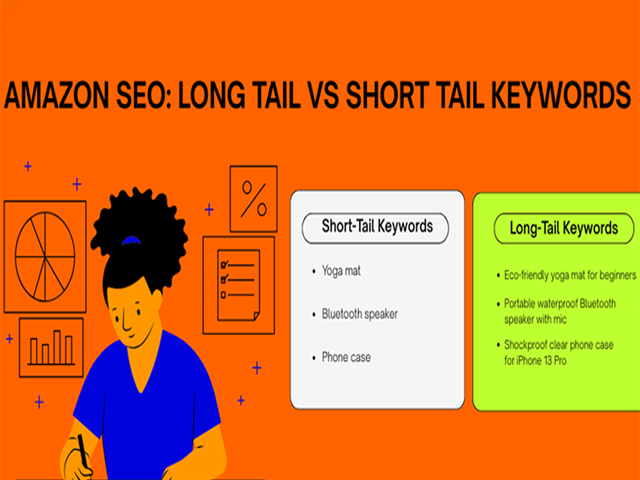
Long-Tail vs Short-Tail Keywords: What Works Best on Amazon?
Every product on Amazon starts with a search. What buyers type in that little search bar decides which listings show up, which ones get clicked, and eventually, which products get sold. That is why keywords matter so much. They connect the customer’s needs with your product. But not all keywords work the same way. Some are broad and short. Others are longer, more specific, and often more targeted.
Learn More →
FBA vs FBM in 2025: Which One Should You Choose?
Choosing between FBA and FBM is one of the most important decisions for Amazon sellers in 2025. The way you fulfill orders can shape your costs, customer experience and long-term growth. Fulfillment by Amazon, or FBA gives access to fast shipping with Prime and takes care of storage packing and returns.
Learn More →
How to Launch a Product on Amazon with Zero Reviews
Launching a product on Amazon with zero reviews may seem tough but it is possible with the right plan and clear execution. In 2025 Amazon gives more weight to how well your product performs in the first few weeks than how many reviews it has.
Learn More →
The Ultimate Amazon FBA Checklist for New Sellers
Your experience of being an Amazon FBA seller can be like a roller coaster ride, but there is much to get to know as well. Choosing the right product, managing the inventory, handling everything, every step counts in case you want to expand your store in the right direction.
Learn More →
Top Mistakes New Amazon Sellers Make and How to Avoid Them
Amazon selling may appear to be intriguing at first. You have millions of buyers at your fingertips, and with FBA and Seller Central, making your brand name appear is easy to do. But once you're in, you'll find it's not as easy as it seems. Most new sellers plunge into the work without knowing how Amazon works.
Learn More →
Understanding Amazon’s A9 Algorithm: A Complete Guide
Every product on Amazon starts with a search. What buyers type in that little search bar decides which listings show up, which ones get clicked, and eventually, which products get sold. That is why keywords matter so much. They connect the customer’s needs with your product. But not all keywords work the same way. Some are broad and short.
Learn More →
How to Write High-Converting Amazon Product Titles and Descriptions
When shoppers search on Amazon, the first thing that they see is your product listing. You lose them within 2 to 4 seconds when your title is vague or when your description is not being understood. However, when your content is well written, it does more than inform.
Learn More →
Why Your Amazon Listings Aren’t Converting (and How to Fix Them)
Selling on Amazon is more than getting your products listed. Your listing is your digital storefront, and every detail in it works like a sales pitch to the shopper. A good product with poor presentation will often lose to a competitor who communicates value more clearly.
Learn More →
A/B Testing Amazon Listings: What You Need to Know
Selling on Amazon is a constant process of improvement. The marketplace changes fast, and customer preferences shift without much notice. What works in a listing today may not be as effective next month. This is where A/B testing could turn out to be a very useful instrument to sellers who wish to make decisions on the basis of facts rather than guesses.
Learn More →
Using Backend Keywords on Amazon: Do They Still Matter?
When you list a product on Amazon, you face millions of competing items that are also fighting for visibility. Shoppers search with a wide mix of words. Some are common, while others are misspelled or written in different forms. To help sellers cover these variations, Amazon created backend keywords.
Learn More →
How to Improve Your Amazon Product Images for Better Clicks and Sales
Images are one of your most powerful tools for selling on Amazon. Customers choose to click before they even look at your product description or glance at your price point based on what they are viewing in the image. Over the past five years working closely with hundreds of Amazon sellers, I’ve witnessed how slight variations in product pictures can make huge differences in clicks and conversions.
Learn More →
Tracking Amazon Sales Trends: Tools & Strategies
Monitoring sales patterns at Amazon is not only what the successful Amazon sellers do, but it is also for everyone who aspires to establish a sustainable business. In the past five years, I have been assisting sellers to examine their performance statistics, identify trends early and make decisions that directly affect their profits.
Learn More →
Understanding Amazon Market Demand with Keyword Tools
Understanding what customers are searching for on Amazon is at the heart of smart selling. For the past five years, I’ve helped sellers connect with real demand by using keyword tools that uncover what shoppers are actively looking for. Market demand isn't a figure that represents consumer intention, interest, and purchasing behavior. If you ignore those indicators,
Learn More →
How to Do Competitive Analysis for Amazon Sellers
Winning on Amazon starts with clear competitive analysis, not guesswork. This guide breaks down how top sellers research rivals, read the market, and turn data into action. You will learn how to map your category, profile leading brands and emerging threats, and benchmark price, content quality, and delivery promises. We explain how to audit listings, uncover keyword gaps, and analyze images, A plus content, and reviews to find conversion levers.
Learn More →
Keyword Research for KDP: How to Rank Your Book on Amazon
With Kindle Direct Publishing (KDP), writers can self-publish and reach Amazon’s readership. Thousands of new books appear on Amazon every day, and without proper Amazon book keywords, your book can remain hidden. Keyword research on KDP helps your book show up in searches and reach the intended readers.
Learn More →
7 Mistakes First-Time KDP Authors Make (and How to Avoid Them)
Publishing a book for the first time can be exciting, but it can also be tricky. Many first-time Kindle Direct Publishing authors make mistakes that slow down their success. Avoiding these errors early can save time, money, and frustration. Here are seven common mistakes and tips on how to avoid them.
Learn More →
Free vs Paid Amazon Seller Tools: What You Really Need
Selling on Amazon is more competitive than ever. Millions of sellers compete for buyers, visibility, and sales every day. To succeed, sellers need the right tools to research products, track competitors, optimize listings, and analyze performance. One of the biggest decisions sellers face is whether to rely on free tools or invest in paid tools. Both can be useful, but each serves different purposes.
Learn More →
Top Chrome Extensions for Amazon Sellers in 2025
Amazon has become one of the busiest online marketplaces in the world. Every year more sellers join the platform and the level of competition increases. Sellers must understand demand, study buyer behavior, and pick the right products at the right time. In 2025, many tools promise to help with Amazon research, but only a few deliver real value through simple and accurate data. One Chrome extension that continues to support sellers in an effective way is Squatio.
Learn More →